Introduction
Picture this: a prospective family arrives on campus for an open house, follows GPS to the main entrance, and finds themselves staring at a blank intersection with no sign in sight. They circle the parking lot twice, arrive late, and leave with a lasting impression that has nothing to do with your academic programs.
That scenario plays out on campuses across the country — not because administrators don't care, but because wayfinding systems are rarely built from scratch. They grow organically over decades, sign by sign, until the result is a patchwork of mismatched materials, missing decision points, and outdated directories.
A 2020 study of 170 university students and visitors found that adding well-placed signage reduced wrong turns by 50% and backtracking by 62%. For administrators managing large campuses, those numbers translate directly to smoother visits, fewer staff interruptions, and stronger first impressions.
This guide covers everything campus administrators need to plan a wayfinding system from scratch or refresh an existing one: sign types, design principles, ADA requirements, digital hardware and software, and realistic budget expectations.
Key Takeaways
- Effective campus wayfinding uses four layered sign types: static directional, digital kiosks, non-interactive displays, and ADA room identification signs.
- Start with entry points and decision-point mapping before selecting any hardware.
- ADA-compliant room signs require tactile characters, Grade 2 Braille, and correct mounting height — no exceptions.
- Outdoor digital kiosks need 2,500+ nits brightness and IP-rated enclosures — consumer TVs won't cut it.
- Full campus rollouts span 12–24 months; budget ranges from low six figures to $1M+ depending on scope.
What Is Campus Wayfinding Signage and Why Does It Matter?
Campus wayfinding signage is a layered system: exterior monument signs, indoor directories, digital kiosks, and room identification plates working together to guide students, staff, visitors, and prospective families through multi-building environments. It covers both indoor and outdoor navigation across an entire campus footprint.
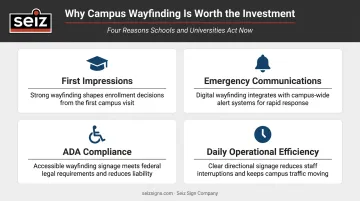
The case for investing in it goes beyond convenience:
- First impressions — Campus visits influence enrollment decisions. A visitor who gets lost forms an impression before they ever meet an admissions counselor.
- Emergency communications — Digital signage integrated with campus alert systems provides a visual notification layer. George Mason University deployed 64 LCD screens that automatically displayed SMS alerts from its Emergency Health and Safety Office.
- ADA compliance — Accessible routes, room signs, and navigation aids are legal requirements, not amenities.
- Daily operational friction — Faculty, staff, and returning students lose real time when critical signage is missing or wrong.
Most campuses don't have a bad wayfinding system — they have an incomplete one. Harper College's existing-conditions assessment documented missing signs at critical decision points, sign clutter, wrong-location signs, and ADA mounting failures, all accumulated gradually through years of piecemeal additions.
Understanding where those gaps exist is the first step toward fixing them — which is where a structured wayfinding audit begins.
Main Types of Campus Wayfinding Signage
No single sign type covers every situation. The strongest campus systems combine static and digital elements into a unified hierarchy — each layer doing its job so visitors can navigate from parking lot to the exact room they need.
Static Directional Signage
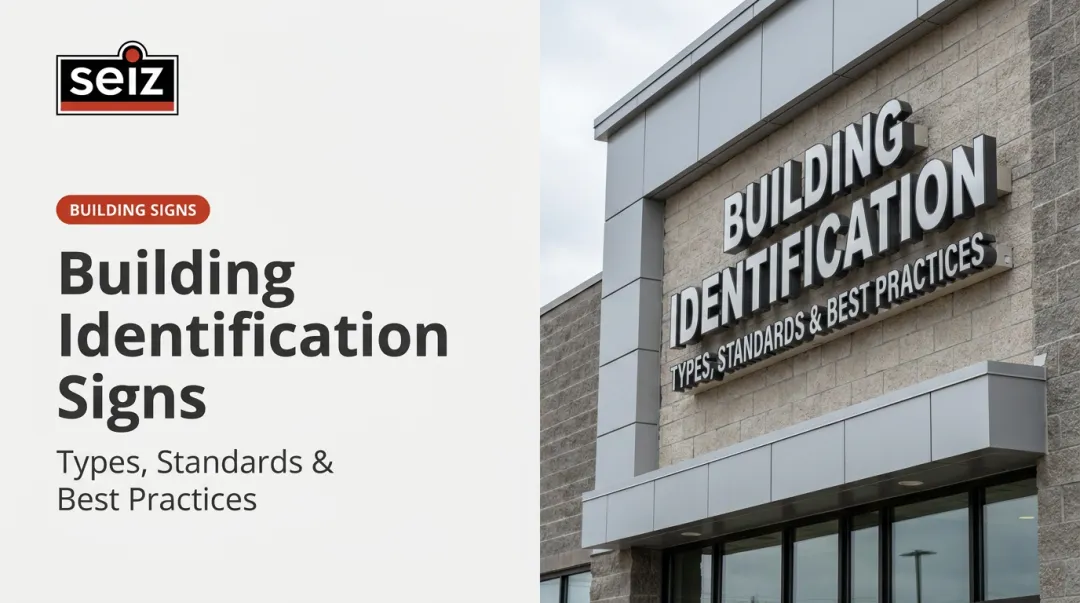
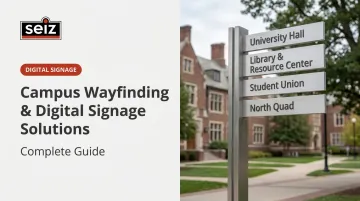
Static signs are the backbone. Exterior monument signs, pole-mounted directional signs, building identity signs, and pedestrian pathway markers form the first layer every visitor encounters. They must communicate parking, key buildings, and entry points clearly, with no power source or software to fail.
Material selection matters for long-term performance in outdoor environments:
- Aluminum handles corrosion well and accepts anodized or powder-coated finishes
- Powder-coated steel provides structural strength for large pole-mounted applications
- High-pressure laminate panels meet Georgia Tech's 2024 standards, which require a 10-year warranty against fading and delamination
Seiz Sign Company designs, fabricates, and installs custom illuminated exterior wayfinding signs across Arkansas, including monument-style campus entrance signs and pole-mounted directional signs built to each institution's specifications. Their full-service model handles design, permitting, fabrication, and installation under one roof, which matters for multi-building projects where sign code varies by jurisdiction.
Digital Wayfinding Kiosks
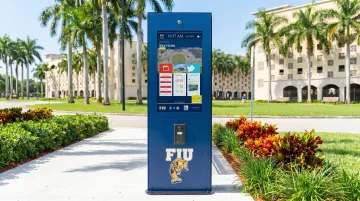
Interactive kiosks are where visitors get answers fast. Place them at main quad entrances, library lobbies, student centers, and residence hall entries — wherever foot traffic peaks and people need directions.
Key functions:
- Interactive campus maps and building lookups
- Event schedules and room booking status
- QR code "send to phone" navigation for outdoor routing
Hardware minimums for reliable outdoor performance:
- 2,500–3,500 nits brightness (LG's XE3P series reaches 3,500 nits; Peerless-AV's XHB5541 provides 2,500 nits)
- IP55 or IP56 weather-sealed enclosures
- Commercial-grade PCAP touchscreens, not consumer displays
Indoor floor-stand kiosks operate at 500–700 nits. A 43" IP55 outdoor touch kiosk lists at approximately $3,999.99; a 49" slim climate-controlled outdoor kiosk runs around $8,748.43, before installation.
Non-Interactive Digital Displays
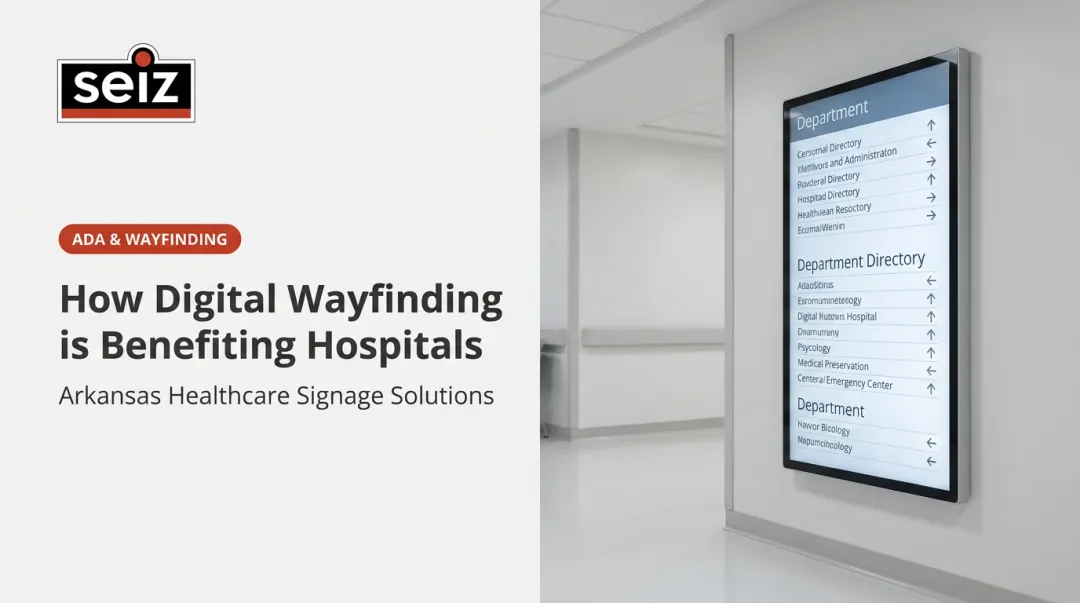
Wall-mounted corridor displays don't need interactivity to deliver value. They rotate scheduled content — building directories, room schedules, event listings — and offer one advantage no static sign can match: campus-wide emergency alerts pushed from a single content management system.
Carlow University's digital signage RFP required e2campus emergency-alert integration, encrypted cloud software, and 24/7 operation support. Treat emergency integration as a baseline requirement, not an add-on. For context, digital signage satisfaction in higher education runs about 3.22 out of 5 according to Campus Safety survey data — functional, but with real room to improve on execution.
Room, Door, and Interior Identification Signs
Once someone is inside the building, the hierarchy shifts to interior identification. These signs take a visitor from the entrance to the exact room they need. Classroom number plates, office nameplates, restroom and elevator signs, and floor-level directory panels all fall here.
These signs must meet ADA requirements (covered in detail below). Seiz Sign Company fabricates ADA-compliant interior wayfinding signs including room designation signs, building directories, and dimensional letter applications for institutional interiors throughout Arkansas.
Key Design Principles for an Effective Campus Wayfinding System
The strategic decisions made before a single sign is ordered matter far more than hardware choices. These principles determine whether a wayfinding system actually guides people — or just fills wall space.
Start at the Entry Points
Before designing any interior signs, identify every point where visitors physically arrive on campus — including the specific intersections where GPS deposits them. An unmarked GPS drop-off is one of the most common and easily fixable wayfinding failures.
Entry-point signage needs to serve multiple audiences simultaneously:
- Prospective students and families → admissions office, visitor parking
- Event attendees → venues, accessible drop-off zones
- Delivery and service personnel → service entrances, loading docks
Each group has a different primary destination. The entry-point sign system has to address all of them without creating visual clutter.
Design for Decision Points, Not Walls
Pedestrian wayfinding works by mapping every intersection, stairwell, elevator bank, and building entrance where a person must choose a direction — then placing signs at those exact points.
Harper College's wayfinding assessment specifically recommended simplifying overhead directionals to right, left, or straight-ahead arrows instead of complex multi-arrow configurations. That's the right instinct: clarity at the moment of decision beats comprehensive information delivered too late or too early.
The practical test is the "lost pup" rule: once a visitor sees one sign, the next sign should always be visible from that position. Gaps in the chain create anxiety, even when the overall system is well-designed.
Maintain Visual Consistency
A unified visual system — consistent fonts, colors, icon language, and mounting heights across all sign types — lets visitors recognize wayfinding signs instantly and reduces the cognitive load of navigating an unfamiliar campus.
The ISA recommends letters at least 1 inch tall per 25 feet of viewing distance, and signs mounted parallel to a roadway need to be at least 70% larger than perpendicular signs. These aren't aesthetic guidelines — they're readability thresholds.
Campus wayfinding should also reflect institutional brand identity: color palette, typography, and tone. Signage that looks like an extension of the campus brand creates a very different experience than signage that looks like it came from a hardware store.
Illuminate for After-Dark Use
Evening classes, sporting events, and campus safety situations all require legible signage after dark. For any campus that operates after sunset, LED-illuminated exterior signs and backlit interior directories are standard operational requirements, not optional enhancements.
ADA and Accessibility Requirements for Campus Wayfinding
ADA compliance for campus signage is specific, enforceable, and frequently violated. The DOJ has cited both the University of Chicago and Colorado College for ADA signage violations, requiring remediation of room identification and directional signs.
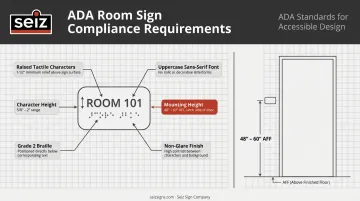
Permanent room and space signs must have:
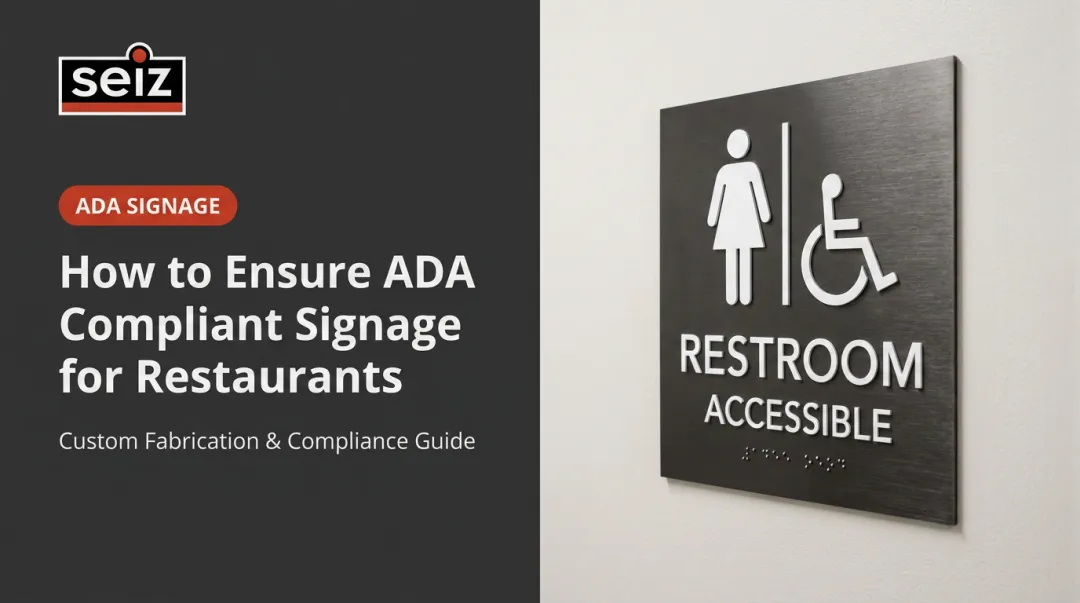
- Raised tactile characters 1/32" minimum above background surface
- Characters between 5/8" and 2" in height, uppercase, sans serif
- Contracted Grade 2 Braille, domed or rounded, positioned below text
- Non-glare finish with light-on-dark or dark-on-light contrast
- Mounted on the latch side of doors, baseline between 48" and 60" AFF
Digital kiosks must meet:
- WCAG 2.1 AA color contrast standards across all screen content
- Screen-reader compatibility and keyboard navigation alternatives
- Touch targets at ADA-compliant heights for wheelchair users
One frequently overlooked compliance gap: older buildings where accessible entrances, ramps, or elevators are located at non-primary entry points. Directional signage explicitly pointing to these accessible routes is a legal requirement, not optional convenience.
Gaps like these are exactly why ADA signage should be treated as a separate compliance package within the larger wayfinding project. It carries its own spec requirements, inspection criteria, and audit trail — and overlooking any one of them can trigger a federal complaint.
Digital Campus Wayfinding: Hardware and Software Considerations
Choosing the Right Display Hardware
Hardware selection by location type:
| Location | Display Size | Brightness | Notes |
|---|---|---|---|
| Main entrance / quad (outdoor) | 49"–55" | 2,500–4,000 nits | IP55/56 sealed enclosure required |
| Library / student center (indoor kiosk) | 43"–55" | 500–700 nits | Floor-stand or wall-mount |
| Lobby / corridor (wall-mounted) | 43"–65" | 500 nits | Non-interactive options start ~$2,700 |
| Classroom doors | 10"–22" | 300–500 nits | LCD or e-ink; room schedule display |
One firm rule: consumer-grade televisions are not appropriate for any of these applications. Only commercial-grade panels are rated for continuous operation and carry warranties suited to 24/7 institutional use.
Content Management System Selection
The CMS is where the whole system either works or breaks. A poorly chosen platform means stale directories, slow emergency alerts, and IT tickets from every department trying to update their own screen.
Key CMS requirements:
- Lets facilities, IT, and student services each manage their own content independently
- Pushes emergency alerts to all screens simultaneously, pulling from an existing campus alert system
- Rotates content automatically for events, room schedules, and seasonal updates
- Runs from the same data source as the campus map platform — no separate sync required
Two platforms dominate campus deployments: Concept3D (used by 700+ organizations, including High Point University for a unified maps-events-accessibility ecosystem) and MazeMap (serves Cambridge, NTNU, and University of Melbourne; NTNU students reportedly save approximately 22,500 hours annually using its indoor navigation tools). Either is a capable choice — what matters is that your CMS and mapping platform share a single data source from day one.
Mobile and QR Code Integration
The kiosk network extends its reach through QR codes: a visitor selects a destination, receives a QR code, and gets turn-by-turn navigation on their phone — essential for outdoor routing where a fixed kiosk can't follow them.
Northern Illinois University's NaviLens system demonstrates what this looks like at scale: QR-style codes detectable up to 40 feet away, installed across 50+ buildings, identifying stairs, elevators, exits, restrooms, auditoriums, and labs. The result is an accessible wayfinding layer that extends physical signage without duplicating it.
The key requirement: the mobile layer must pull from the same data source as the kiosk network. Two systems with different building names or room numbering schemes create exactly the confusion the whole project is meant to solve.
How to Plan and Budget Your Campus Wayfinding Project
The Phased Rollout
Most successful campus wayfinding projects follow this sequence:
- Audit existing signage — map every decision point, document missing signs, note ADA violations
- Develop visual standards — unified fonts, colors, icon language, mounting specs across all sign types
- Replace/refresh static exterior and interior signage — this phase resolves the most navigation failures fastest
- Pilot 2–4 digital kiosks at highest-traffic locations
- Expand digital display network to corridors and secondary buildings
- Integrate mobile and QR layers once the core network is stable
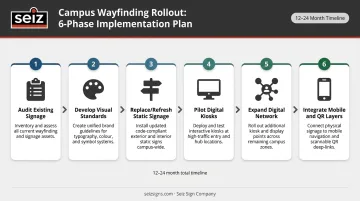
A full rollout for a mid-size campus typically spans 12–24 months. Harper College's 2025 wayfinding RFP budgeted a two-year contract covering exterior signage, interior signage, and departmental displays across a 200-acre main campus plus two satellite locations.
Realistic Cost Framework
Verified component pricing (hardware list prices, before installation):
| Component | Price Range |
|---|---|
| 43" outdoor IP55 touch kiosk | ~$4,000 |
| 49" outdoor climate-controlled kiosk | ~$8,750 |
| 55" indoor non-interactive floor stand | ~$2,700 |
| ADA custom room sign with Grade 2 Braille | ~$42 per sign |
| Limited campus signage bid (single building, project-level) | ~$30,000 |
Total project costs for a mid-size campus (40 buildings) can range from the low six figures to over $1 million, depending on the ratio of digital to static signage, CMS licensing, and installation complexity. Treat these as ballpark figures, not final estimates — installation, permitting, and CMS licensing add substantially to hardware costs.
Working with a Full-Service Sign Partner
The static signage phase moves significantly faster when one company handles design, fabrication, permitting, and installation together. Coordinating multiple vendors across monument signs, building identity signs, exterior directionals, and interior room signs creates delays that a single full-service partner eliminates.
For Arkansas campuses, Seiz Sign Company handles that full scope in-house — from custom monument signs and illuminated pole-mounted directionals to ADA-compliant interior wayfinding and permit acquisition across all Arkansas jurisdictions. Licensed electrical contractor staff and UL-approved components are standard on every project. For administrators managing signage across dozens of buildings, one point of contact means fewer gaps and faster delivery.
Frequently Asked Questions
What are the main types of campus wayfinding signage?
The four primary types are static directional signs (exterior and interior), interactive digital kiosks, non-interactive digital information displays, and ADA room identification signs. Effective systems layer all four — static signs handle everyday orientation, digital screens expand real-time communication, and ADA signs meet legal compliance requirements.
What is digital campus wayfinding signage?
Digital campus wayfinding signage covers screen-based systems — interactive kiosks and non-interactive displays — showing campus maps, directories, event schedules, and emergency alerts. All screens are managed from a central CMS that enables real-time updates and campus-wide alert broadcasting.
How much does campus wayfinding digital signage cost?
Individual components range from roughly $42 for an ADA static room sign to $8,750+ for an outdoor interactive kiosk (hardware only). A full mid-size campus rollout can run from the low six figures to over $1 million depending on building count, digital-to-static ratio, and CMS licensing scope.
How do I make campus wayfinding signs ADA compliant?
Permanent room signs require Grade 2 Braille, raised tactile characters (5/8"–2" high, 1/32" above the surface), a non-glare finish, and latch-side door mounting between 48" and 60" AFF. Digital kiosks need accessible input alternatives and WCAG 2.1 AA color contrast compliance.
What is the difference between static and digital campus wayfinding signage?
Static signs are durable, lower-maintenance, and require physical replacement to update. Digital signs display content that can be updated remotely — making them the right choice for high-traffic hubs, room scheduling, and emergency communications. For permanent room identification and exterior directional markers, static signs hold a clear advantage: no power dependency, no software updates, no downtime.